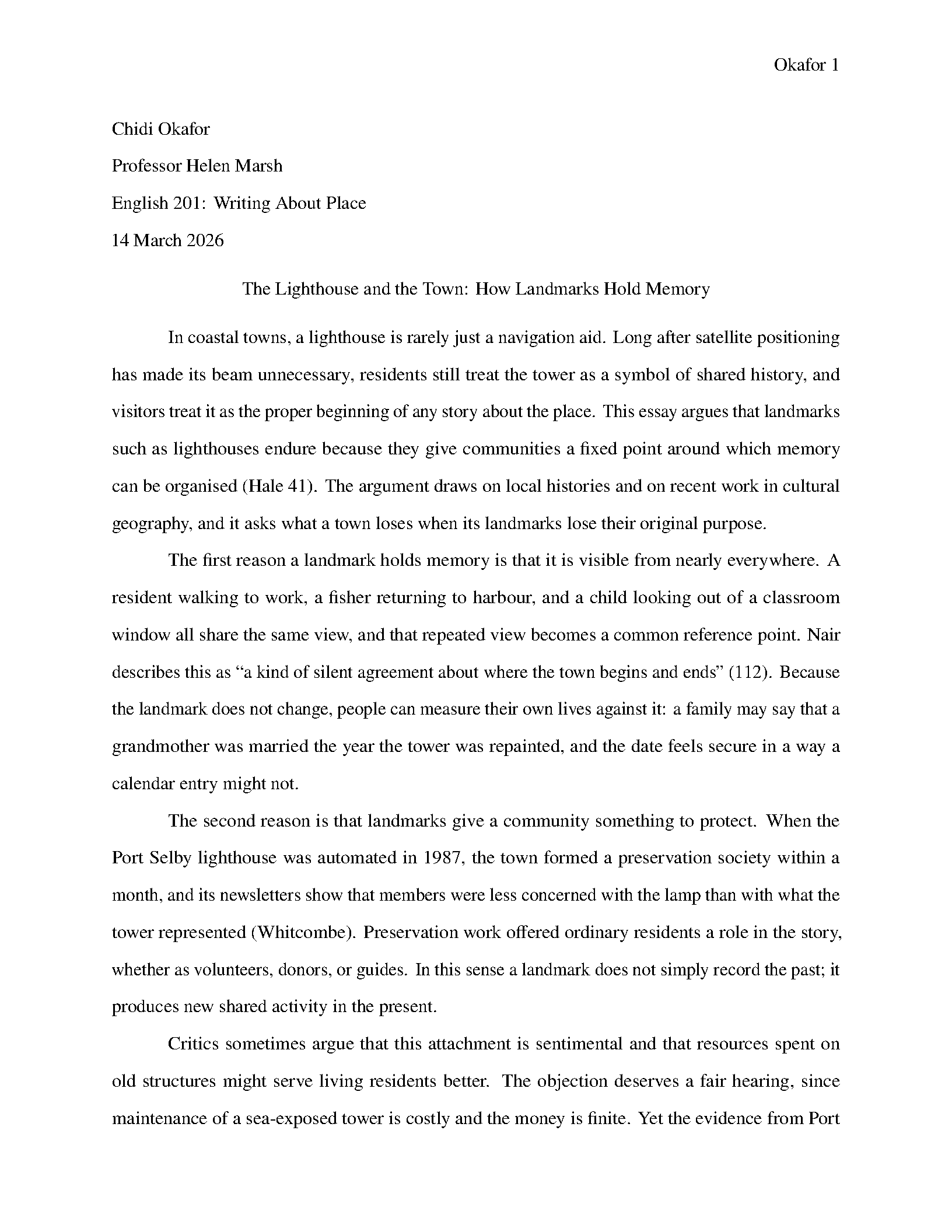
What is MLA format?
MLA format is the Modern Language Association’s style for papers in English, literature, languages and other humanities courses. The 9th edition keeps the layout simple: US Letter paper, 1-inch margins, a readable 12-point serif font such as Times New Roman, and double spacing throughout, including the Works Cited page.
There is no title page. The first page opens with a left-aligned block of four lines (your name, your instructor, the course, the date), then a centred title in plain case. The title is not bold, underlined or in quotation marks. Every page carries a header at the top right with your surname and the page number. Paragraphs have a 0.5 inch first-line indent, and in-text citations use the author and page, such as (Hale 41).
Who it suits
- High school and college students writing essays and literary analysis.
- Anyone whose instructor asks for MLA rather than APA or Chicago.
- Writers who want the layout handled so they can focus on the argument.
How to edit it
Everything is in main.tex. Change the surname in the header line, then fill in the heading block and title with the commands the template defines:
\fancyhead[R]{Okafor \thepage}

\mlaheading{Chidi Okafor}{Professor Helen Marsh}
  {English 201}{14 March 2026}

\mlatitle{The Lighthouse and the Town}
Write your paragraphs as normal text; the indent and spacing are automatic. When you finish, start the Works Cited page and list each source:
\workscited

\workentry{Hale, Miriam. \textit{Edges of the Map}. Harbour Press, 2019.}
Tips
- Keep Works Cited entries in alphabetical order and check each against the current MLA handbook.
- Every source you cite in the text should appear in Works Cited, and the reverse.
- Do not add extra space between paragraphs; MLA relies on the indent alone.
- The sample uses fictional sources. Replace them completely.